
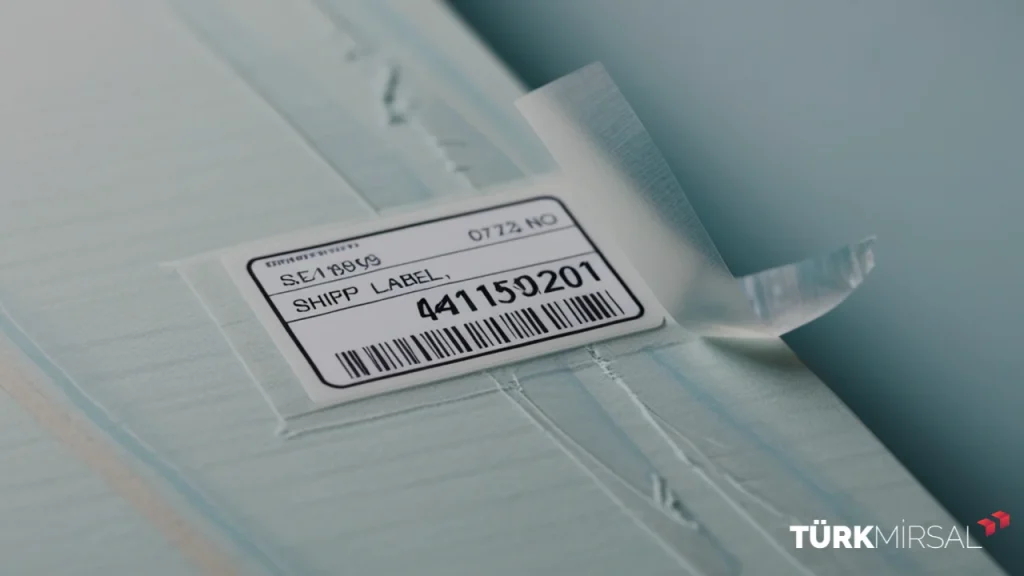
Shipping labels are a crucial part of the shipping process, playing an essential role in ensuring packages reach their correct destinations without errors that can cause delays or misdeliveries.
What Is a Shipping Label?
A shipping label is a notice affixed to every order, containing detailed information about the sender, recipient, package specifications, shipping date, and a barcode tracking system that allows both sender and recipient to track the package throughout its journey.
Key Information on a Shipping Label:
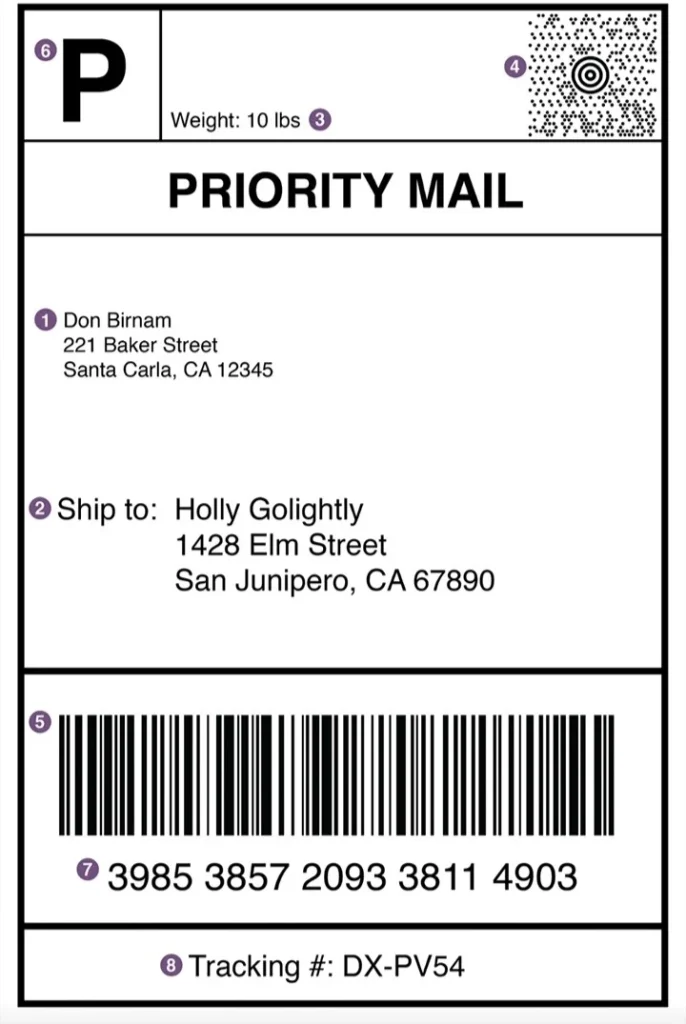
- Sender Name & Address: The name and address of the sender
- Ship To: Recipient’s name, address, and delivery destination
- Weight: Package weight, including notes on fragility
- MaxiCode: Machine-readable code for automated tracking and management
- Postal Barcode: Recipient’s postal code
- Service Type: Shipping service (e.g., standard or express)
- Routing Number: Guides packages through multiple shipping hubs to ensure smooth delivery
- Tracking Number: Allows customers to track their shipment online
Important Points to Consider for Shipping Labels
To ensure the label is effective and the package remains safe:
- Include Special Instructions:
Note any special handling requirements, such as fragile items, hazardous materials, or flammable goods, as required by the shipping company. - Place Instructions Clearly:
Labels should be positioned in a visible area, typically on top of the package, avoiding edges or hard-to-scan areas. For protection, cover the label with a transparent plastic pouch or tape that does not interfere with barcode scanning. - Attach the Shipping Documents:
Include all necessary paperwork, such as customs forms, invoices, and sender/recipient information, with the shipping label.
How to Create Shipping Labels for Self-Fulfilled Orders
For anyone starting an e-commerce business, creating shipping labels efficiently is essential. While labels can be purchased from shipping companies, this can become costly. Here are several ways to generate shipping labels at home:
- Via the Shipping Company’s Website:
Many shipping companies provide an online label creation tool. Users fill in order information, download the label, and print it. This method works well but can be time-consuming for multiple orders. - Using Shipping Label Software:
Download the company’s label template and fill in order details offline. This is faster than manually using the website for each order. - Automating the Shipping Process:
Platforms like Shopify can automatically generate shipping labels by integrating order information with the shipping provider. Automation saves significant time, especially for large volumes of orders.
Choosing the Right Shipping Label
Selecting the appropriate label is critical to ensure it stays intact throughout the shipping process.
Label Quality and Material
- Durability: The label should withstand various conditions, including weather, moisture, and handling.
- Adhesive Type: Use permanent, water-resistant adhesives. Avoid removable labels as they may fall off during transit. Clear tape can be used, but ensure it doesn’t cover the barcode.
- Printer Type:
- Laser Printers: Ideal for all shipping labels; use dry toner that bonds to the paper.
- Inkjet Printers: Less preferred due to smudging if exposed to moisture.
- Label Size: Common sizes include 10×15 cm, 15×7 cm, and 10×10 cm. Some labels may include an invoice on the same page.
In conclusion, a shipping label is not just a piece of paper—it ensures packages arrive at their destination quickly and accurately. A lost or damaged label can result in packages being delayed, misplaced, or held at the shipping facility.